

USB drives have become ubiquitous.
They are the modern day equivalent of the floppy disk from the early
nineties. Everyone and their mother has one or two thumb drives at
this point, or in my case more like ten to twenty. I still remember
getting my first 8MB USB drive from Newegg. That seemed impressive
back in the day. Now, we are seeing USB thumb drives in the 16GB
range and higher.
Of course, as the storage size of these
drives increases, the price goes up exponentially. Right now the
sweet spot in terms of price is the 16GB range.
Today we will look at the Kingston DT
(Data Traveler) 400. This is one of the latest offerings from
Kingston and features MiGoSync Software, SecureTraveler2 and enhanced
Ready Boost Capability.
Lets get started…….
DataTraveler
(DT400) 400 16GB
Reviewed by: Tomas Ratas
Sponsor:
Kingston
Tech Specs,Features or the
Basic Info:
The DT400 is available up to 16GB with 20MB/sec. read and 10MB/sec. write,
enhanced for Windows ReadyBoost, preloaded with MigoSync software,
and features a capless design for added functionality. MigoSync
software lets you synchronize your files, email and internet browser
settings on your DT400. Password protect your files with
SecureTraveler2 software. SecureTraveler
allows you to create and access a password protected secure area,
called a “Privacy Zone” on your DT400
With Kingston’s DataTraveler® 400
(DT400) USB Flash drive you have the freedom to work on multiple PCs
all the while keeping your data in sync and secure. Kingston’s
DT400 is available up to 16GB, is preloaded with MigoSync software,
and features a capless design for added functionality and ease of
use. The MigoSync software lets you synchronize your files, email and
internet browser settings on your DT400. When you return to your main
PC MigoSync synchronizes your files from your drive to your PC to
keep you current.
For added flexibility, Universal Mail Format1 lets you access your email on applications other than the ones you
use at home or at the office. If a guest PC doesn’t support your
main email application, MigoSync will let you access your email using
other applications like Windows Mail, Outlook, Outlook Express or
Lotus Notes.
DT 400 is a great tool for today’s road warriors – use it at
your field office, home office, or client’s computer — anywhere
you have access to a PC with the applications you use. Create and
maintain different workspace profiles, such as home, work, notebook,
client, project, and then password protect them with SecureTraveler2 software. SecureTraveler allows you to create and access a password
protected secure area, called a “Privacy Zone” on your DT400.
Create a more efficient organization
DT 400 is
great for organizations with employees on the go. By allowing Stay in
Sync between multiple PCs employees to use a single USB Flash drive
between their office and home computers, DT 400 also allows
organizations to make better use out of generic applications-only
notebook pools for use by field employees and other mobile
professionals as needed. The employee can then use MigoSync to create
a personalized, working environment. Those with administrative rights
can protect corporate data by creating a partition on the drive for
additional security with SecureTraveler2.
Multifunctional
and easy to use, DataTraveler 400 is backed by legendary Kingston® reliability plus a five-year warranty and free tech support.
Kingston DataTraveler 400 Part Numbers:
DT400/2GB, DT400/4GB, DT400/8GB, DT400/16GB
Features/Benefits:
Safeguarded – includes SecureTraveler2 security software for Windows
Enhanced for Windows ReadyBoost on Vista based systems5.
Multifunctional – preloaded with MigoSync data synchronization
softwareFlexible – MigoSync Operating Language support in English,
French, Italian, German, Spanish, Japanese, Korean, Simplified
Chinese, Traditional Chinese, Russian, Thai, Portuguese and Dutch
Specifications:
Capacities3 – 2GB, 4GB, 8GB, 16GB
Dimensions – 2.58” x 0.71” x 0.41” (65.76mm x 17.98mm x
10.7mm)Fast – data transfer rates of up to 20MB/sec. read and
10MB/sec. write4Operating Temperature – 32° to 140° F (0° to 60° C)
Storage Temperature – -4° to 185° F (-20° to 85° C)
Simple – just plug into a USB port
Customizable – Co-logo program available
Guaranteed – five-year warranty
Compatibility
Table:
Operating System
File Transfer
Password Protection
MigoSync
Windows Vista5
Yes
Yes
Yes
Windows 2000 (SP4)
Yes
Yes
Yes
Windows XP (SP1 and SP2)
Yes
Yes
Yes
Mac OS X v.10.3.x+
Yes
No
No
MigoSync Supported Email Clients:
Microsoft Outlook Express (5.0 and 6.0), Outlook 2000 (and above)
with POP3/SMTP and Exchange Server6, Windows
Mail, Mozilla Thunderbird (1.5 and 2.0), Lotus Notes (6.5 and 7.0
with POP3/SMTP and Domino6)
MigoSync
Supported Internet Browsers:
Internet Explorer (5.0 –
7.0) and Mozilla Firefox (1.5 and 2.0)
1Universal
Mail Format requires additional storage. Universal Mail Format only
synchronizes email and contacts.
When using Universal Mail
Format, Outlook with Exchange and Lotus Notes with Domino access is
limited to sending email. Without a valid SMTP configuration, email
access is limited to viewing only.
2 Those with administrative rights can protect corporate data by
creating a partition on the drive for additional security with
SecureTraveler2
3 Please note: Some of
the listed capacity is used for formatting and other functions and
thus is not available for data storage.
4 Speed may vary due to host hardware, software and usage.
5Although
DT 400 is enhanced for ReadyBoost, SecureTraveler will not operate
properly if ReadyBoost cache is enabled on the drive. However, you
may enable ReadyBoost cache on a separate drive.
6Remote
system may require VPN connection.
A Better Look at Things
:
The Kingston
DT400 comes on a clear plastic blister card with the
drive displayed in the center of the package. Behind the drive is a
white cardboard with the Kingston logo and name. On the bottom of
this cardboard lists the read/write speed of the DT400 and the
certified for Windows logo. The read speed is listed as 20MB/s and
the write speed is 10MB/s. The center of the package has the
MigoSync logo with the USB 2.0 logo printed on perpendicularly to the
rest of the information on the side.

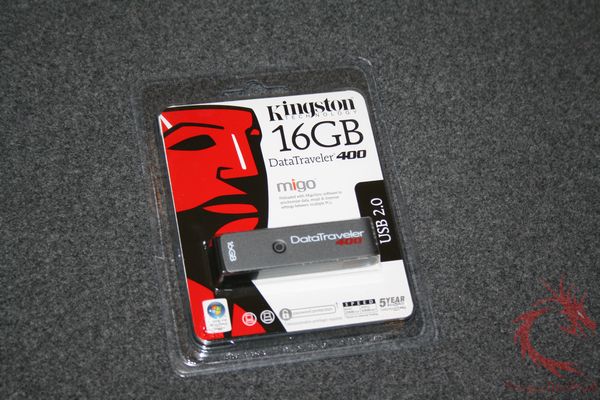
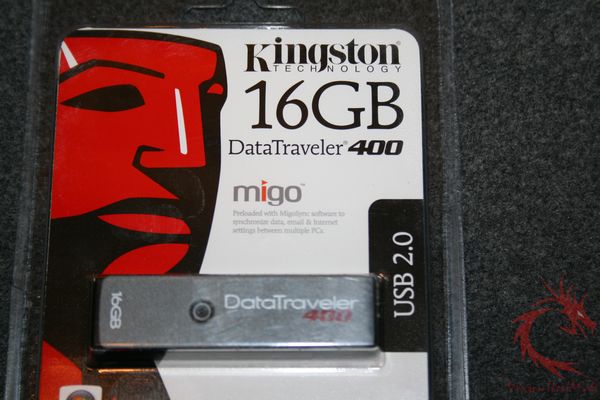
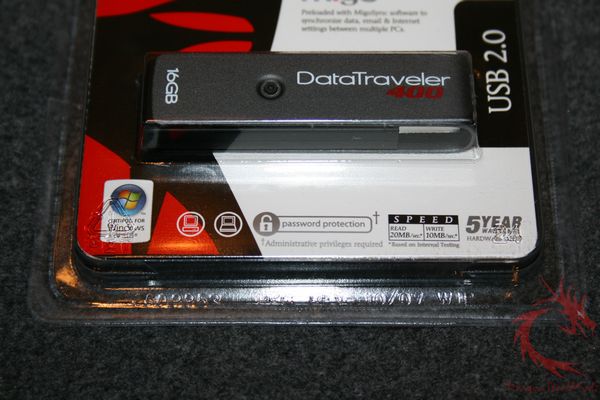

On the back of the package we find a
lists of features in several languages and a compatibility table. It
is important to note that the password protection and MigoSync
software only work with Windows 2000 (SP4), XP (SP 1&2) and Vista
32 Bit. I would assume it also works with Windows XP SP3, but I did
not have a SP3 updated system for testing. If you are planning on
using the DT400 with a Mac OS X or Linux system, then you will only
be able to use the drive as a standard USB storage device.

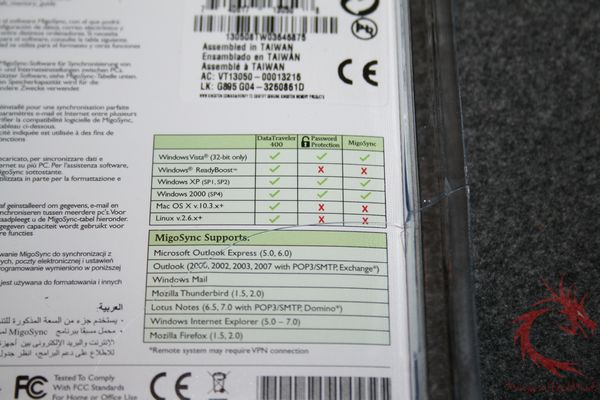

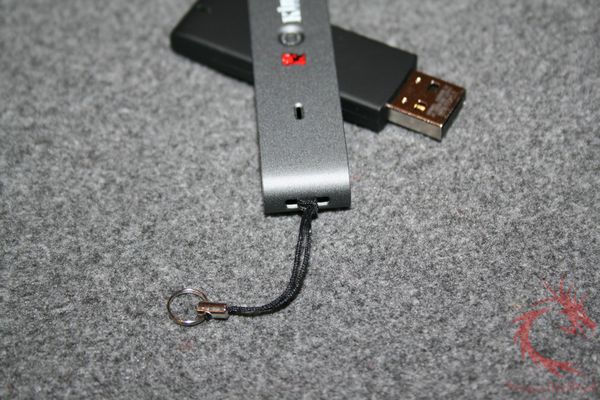
Once extracted from the packaging we
find the DT400 and a lanyard used for attaching the device to a
keychain found inside the white cardboard.


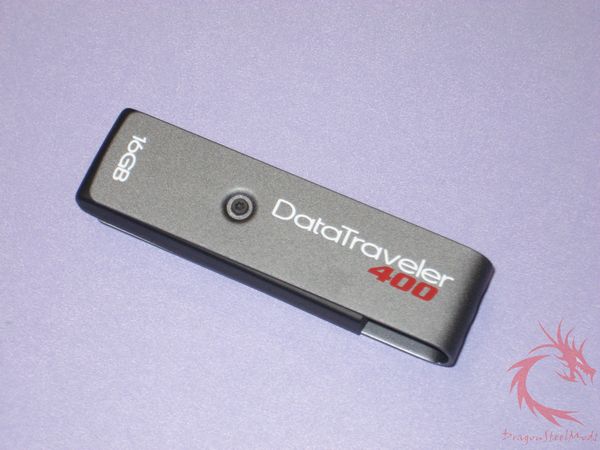
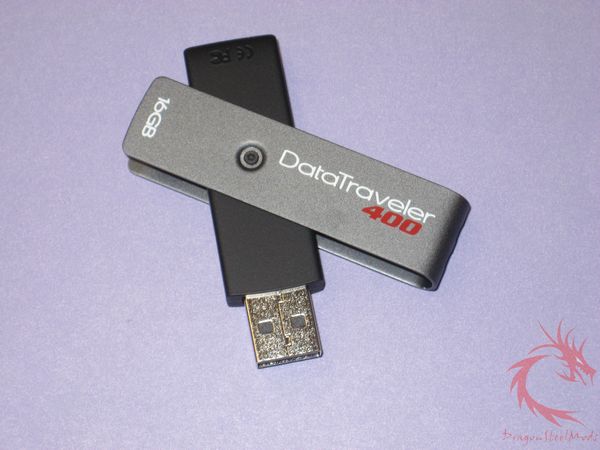
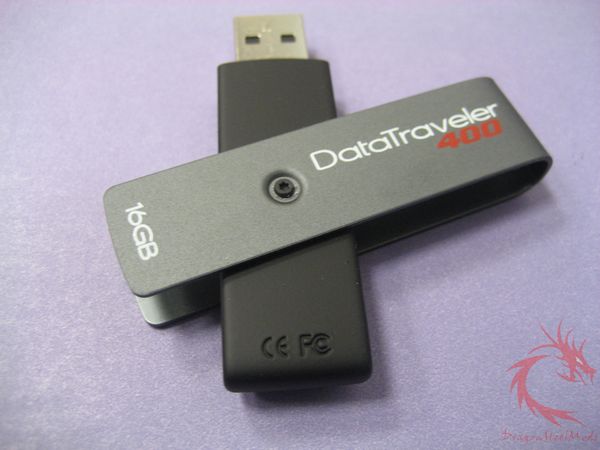
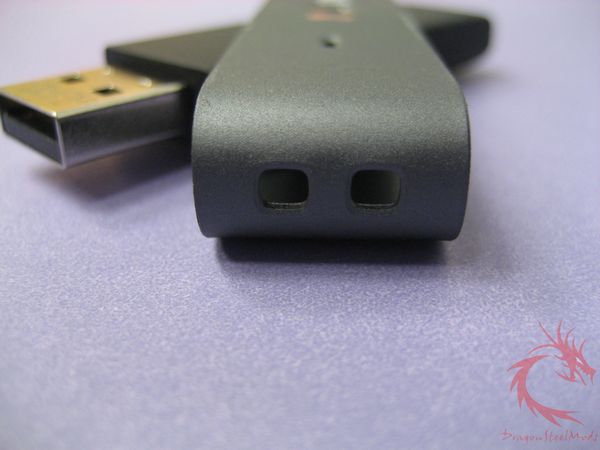
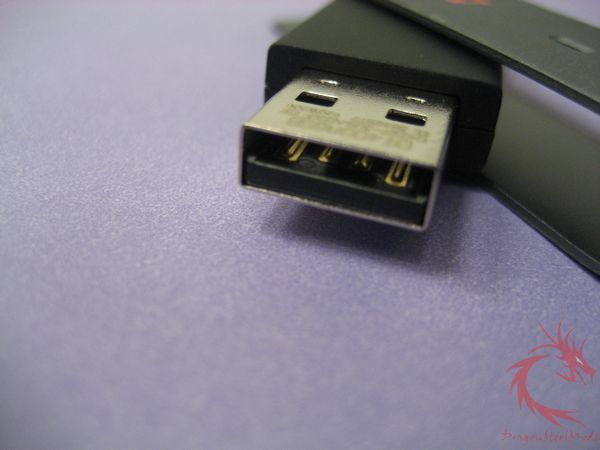
The DT 400 is composed of a gun metal
grey aluminum exterior with a black rubberized inner portion that
swivels out when ready for use, thus eliminating the need of a cap.
Its dimensions are 2.58” x 0.71” x 0.41” (65.76mm x 17.98mm x
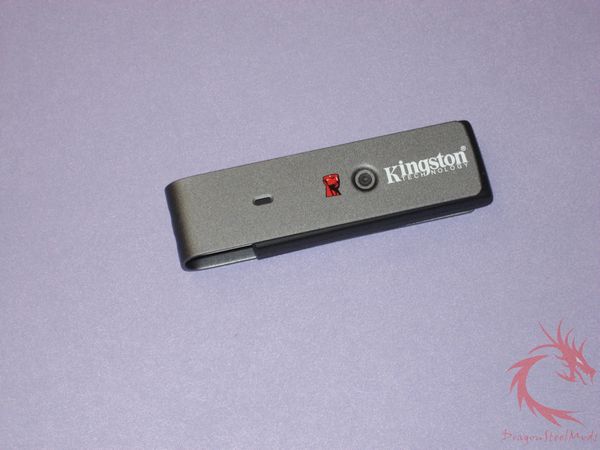
10.7mm). The gun metal grey portion has the DataTraveler 400 name
and drive size embossed on one side and on the opposite side, we find
the Kingston logo and icon and an opening for the operation light to
be visualized. The actual USB drive is covered by a matte black
rubber and only has the activity light on the end opposite the USB
connector.
Installation, Testing and
Comparison:
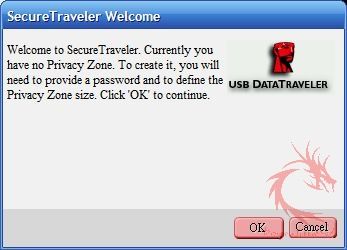
Inserting the DT400 into a PC will reveal a folder containing MigoSync, which allows the drive to be used as a portable office by syncing emails, data and internet settings. Be aware that MigoSync supports only certain programs such as Outlook, Outlook Express, Windows Mail, Thunderbird, Internet Explorer (5.0-7.0) and Mozilla Firefox (1.5 & 2.0). The other included application is SecureTraveler, Kingston’s proprietary password protection software. It is important to note that PCs that have restricted user privileges will not be able to run SecureTraveler.

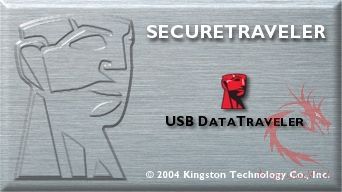
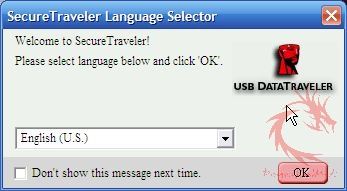
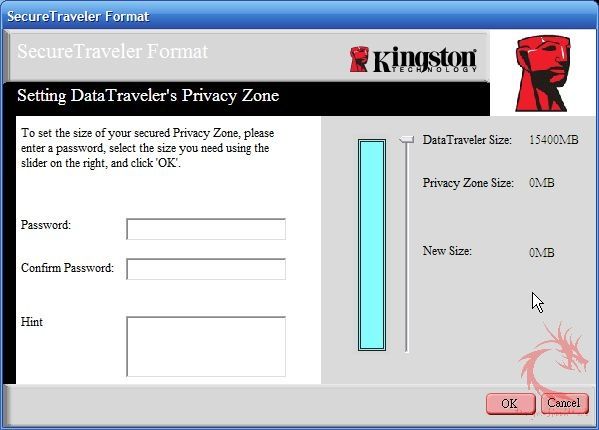
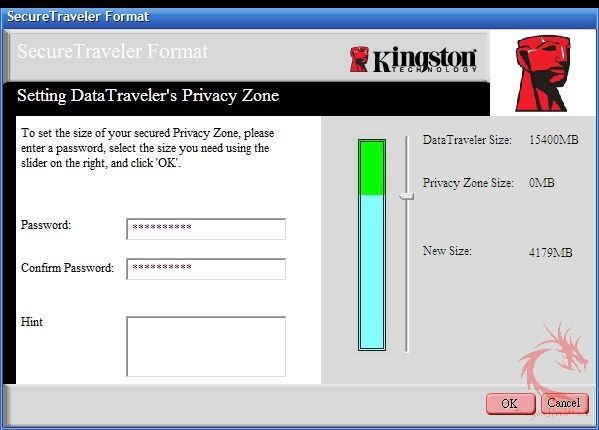
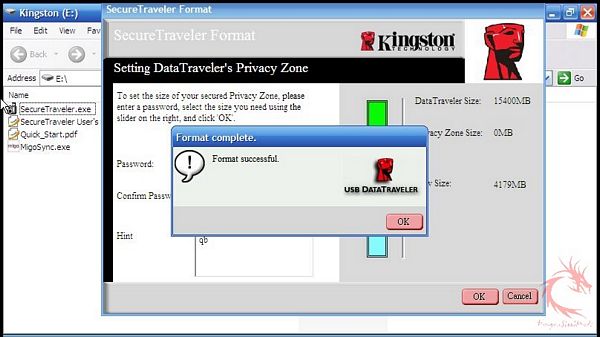
Setting up the password protection up on the
DT400 is straight forward. Open the SecureTraveler program, adjust
the slider to create a password protected partition, select a password and
hint; then hit OK. The drive will format and now you will have an
unencrypted and password protected partition. If you so desire, you can even password protect the entire drive.
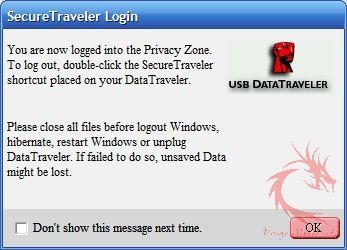

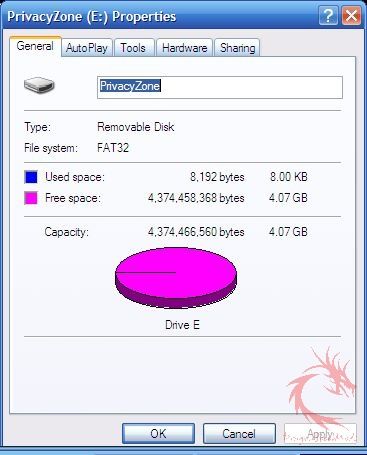
When the DT400 is initially inserted
into the PC, the drive is recognized as a standard USB drive. Once,
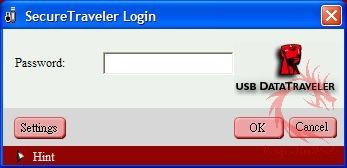
the SecureTraveler icon found on the drives root folder is clicked;
the program will request the password to open the password protected partition
called the Privacy Zone. To log out of the Privacy Zone, the user
needs to click on the exit Privacy Zone icon located on the encrypted
partition. It is important to note, that files available on the password protected partitions are not available to the user when logged into
the non-protected partition and vice versa.
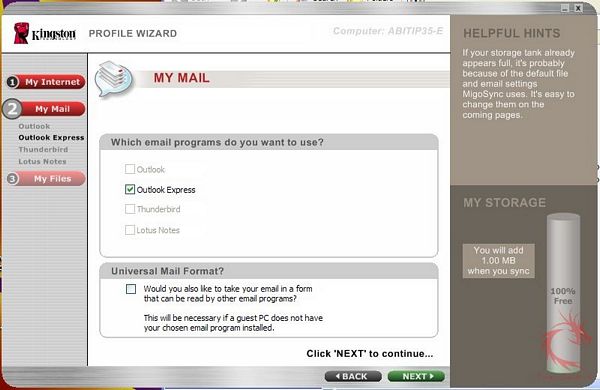
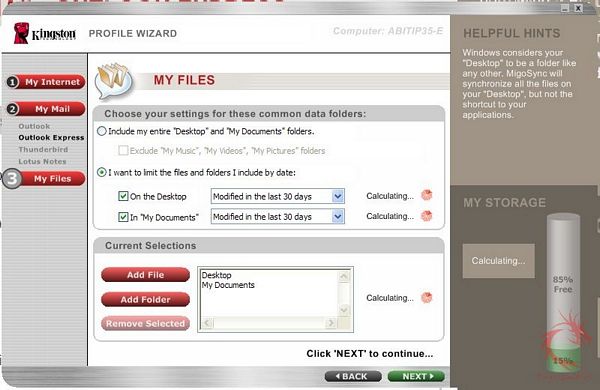
For the MigoSync software, the initial
setup involves marking which programs are used for the internet and
email and which files, the user wants synced between the drive and
computer. This program is great for those who need to sync their
desktop and have it accessible on the go.



For testing, I used the SiSoftware
Sandra Professional Business XI Removable Storage Benchmark and
compared the DT400 16G to a Corsair Voyager 16GB USB Drive.
Test | Read | Write |
32 kB Test | ||
Kingston | 8593 kB/sec | 537 kB/sec |
Corsair | 10517 kB/sec | 687 kB/sec |
64 MB Test | ||
Kingston | 31.68 MB/sec | 10.92 MB/sec |
Corsair | 31.7 MB/sec | 12.01 MB/sec |
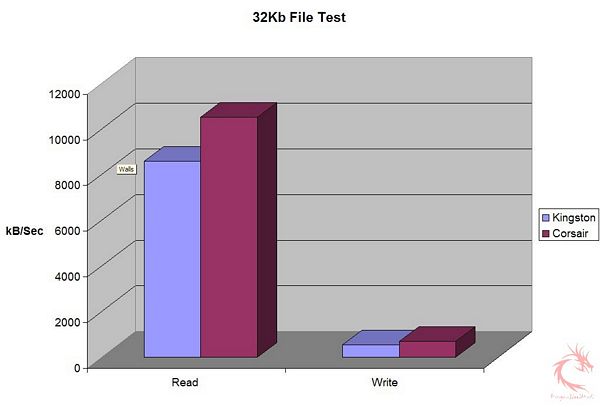

I looked at the small (32kB) transfers
and larger (64MB) transfers to evaluate the drives performance. The
results show that the drives were pretty similar in reading larger
files, while the Corsair was quicker reading smaller files. The
Corsair Voyager had the edge in write speeds with both small and
large files sizes.
Overall the drive feels sturdy and
solid. The USB drive is protected by the rubber material and resides
within the aluminum piece; the user can swivel the drive out when
ready for operation.


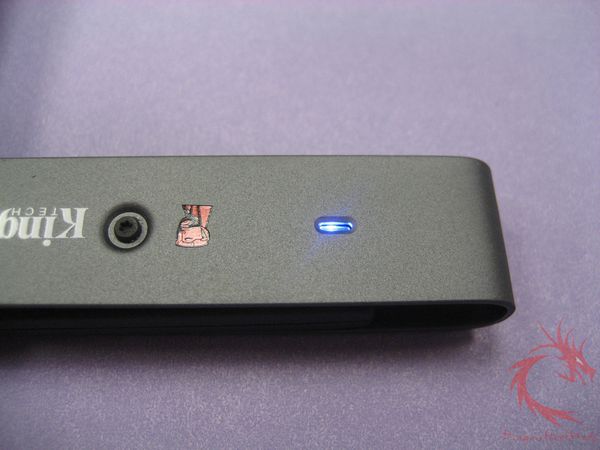
Capless designs for USB drives are hit
or miss, but this design seems to a have hit the sweet spot. As
someone who has lost their share of USB caps, this offers great
protection for the USB connector while remaining functional.
Although it does seem possible that the screw that acts as the axis
for this device can become loose in the future, rendering the
external protection useless. But right now the DT400 sits tightly
against the external casing.
The one issue I have with the DT400 is
the lanyard used to attach the drive to a key ring seems very thin
and prone to breaking rather quickly. I wish Kingston found another
way to have a key ring attachment for this drive.

Summary and Comments
The Kingston DT400 is a great drive if you value privacy and convenience. The password protection software – SecureTraveler is one of the best of its kind, allowing the drive owner security on almost all Windows 2000/XP/Vista machines; while the included MigoSync software allows portability of email, data and internet preferences. With sizes from 2GB, 4GB, 8GB and 16GB, there is definitely a size for almost everyone. While the Kingston DT400 16GB is more expensive than a generic 16GB USB drive, you do gain the additional functionality of the features just mentioned. Plus the drive is well designed with a capless system that protects the USB connector from harm when not connected to a PC. In addition, Kingston provides a five year warranty and the drive is also Ready Boot certified, if you plan on using the drive in that manner.
DragonSteelMods gives the DataTraveler
400 16GB a 4.5 out of 5 score and our Recommended Award as well.

Pros:
Includes password protection software
Portability with MigoSync software
Capless Design
Large amount of storage
Cons:
Expensive
I would like to thank Kingston for the chance to review the DataTraveler
400 16GB and for their support of DSM.
review#521